
IPTV Pro
Alexandr SofronovVideo Players & Editors
4.4175.00 Reviews
- Version
- Varies With Device
- Installs
- 500.00K
- Age Rating
- Everyone
Screenshots
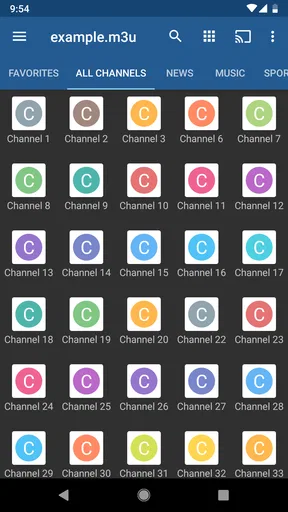
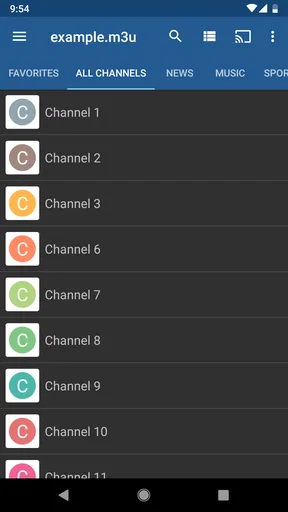
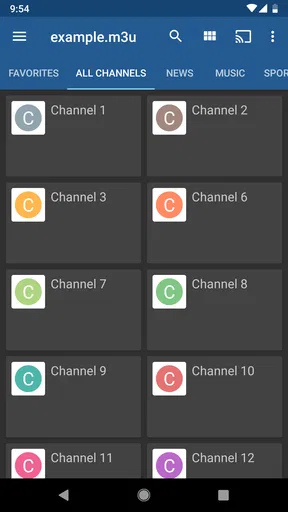
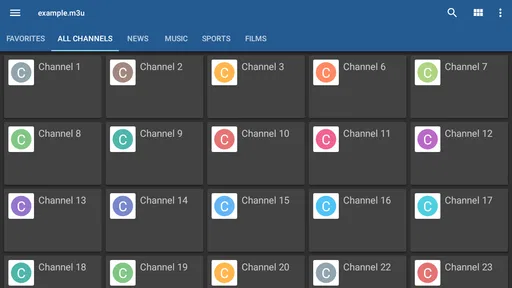
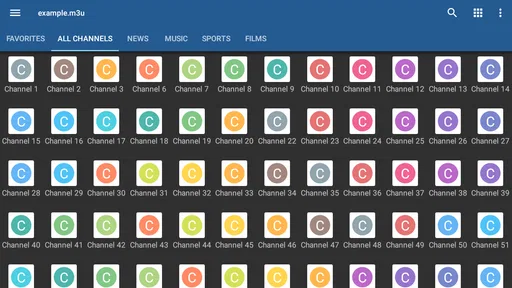
Our Review of IPTV Pro
 Analysis by Appyee
I like IPTV Pro best when I think of it as a player for a television setup I already have, rather than a service that supplies channels by itself. That distinction matters: the app is designed around adding a playlist or stream address, then watching through the app. If you already have a legitimate IPTV source and want a dedicated Android player, that makes its purpose clear. If you expect to install it and immediately browse a ready-made library, you may find the first step less straightforward.
A player, not a channel subscription
IPTV Pro is a paid video player from developer Alexandr Sofronov, priced at $3.99. It sits in the video players and editors category, has an Everyone age rating, and has been available since July 15, 2012. Its average rating is 4.4 from around 10,000 ratings, with 175 written reviews and over 500,000 installs. Those figures suggest that it has found an audience, but the important question is whether its player-first approach fits the way you watch.
In practical terms, you bring the source: a playlist or stream URL from a provider you trust. The app’s value is in organizing and playing that material, not in replacing the provider or guaranteeing what a stream contains. Before paying, I would make sure I already have a usable playlist and understand how my provider expects it to be added. That simple check avoids the common disappointment of buying a player while assuming it includes channels.
What the setup asks of you
Imagine having all your favorite TV channels and shows right at your fingertips, without the hassle of a traditional cable subscription. That's what IPTV Pro promises to deliver. As a self-proclaimed TV enthusiast, I couldn't resist diving into this app to see if it lives up to the hype. Spoiler alert: it's pretty impressive!
Getting Started with IPTV Pro
First things first, let's talk about setting up IPTV Pro. The app is available for both Android and iOS, making it super accessible for most users. Installing it was a breeze; I simply downloaded it from the respective app store, and I was ready to roll in no time.
Once you open the app, you're greeted with a clean, intuitive interface. It’s not cluttered, and everything is easy to find. There’s a little bit of a learning curve if you're new to IPTV services, but the app does a decent job of guiding you through the initial setup. You’ll need to add a playlist or a stream URL, which might sound tricky, but the app provides clear instructions.
Making playlists easier to live with
The playlist step is also where a little preparation pays off. Keep the details from your provider somewhere you can retrieve them, and check that you have entered the address or playlist correctly before troubleshooting playback. A typo or an expired source can look like an app fault even when the player is working as expected. If you manage more than one playlist, label or arrange them in a way that makes sense to you rather than relying on memory; that small bit of housekeeping makes switching between different channel collections less confusing.
For an everyday example, picture settling in after work and wanting to move between a news source and a sports playlist without searching through one long, mixed list. Separate playlists can make that routine feel more orderly. The trade-off is that organization depends on the sources you add and the effort you put into keeping them current. IPTV Pro can help you use your material, but it cannot repair a broken provider stream or make an unreliable internet connection dependable.
Features that Stand Out
Now, onto the fun part – the features! IPTV Pro offers a robust set of functionalities that make streaming a joy. One of my favorites is the Electronic Program Guide (EPG) support. It’s like having a digital TV guide in the palm of your hand, making it easy to keep track of what’s playing on your favorite channels.
An EPG is most useful when your source supplies program information that matches its channels. When it does, I can see what is on without opening channels one by one, which is especially handy if I am deciding what to watch rather than tuning in for a specific show. If the guide appears incomplete or does not line up with a channel, I would first check the provider’s guide information and playlist details. A guide is a helpful layer, not a guarantee that every source has accurate schedules.
The app also supports multiple playlists, so if you’re like me and have varied tastes, you can keep everything organized. Whether you're into sports, news, or the latest reality shows, switching between playlists is seamless.
That support has a practical benefit beyond variety: it lets you keep separate sources apart instead of treating every channel as one giant list. I would use that separation for different household members, or simply to distinguish regular viewing from occasional specialist channels. It is worth remembering, though, that multiple playlists do not mean the app provides the content. You still need access to each source, and the usefulness of the arrangement depends on how well those lists are maintained.
Another cool feature is the ability to cast content to your TV. If you have a Chromecast or a similar device, you can enjoy your shows on the big screen without any fuss.
When casting and a phone screen make sense
Casting changes the role of the phone: it becomes a convenient way to choose something, while the television is where you watch. That is a natural fit for shared viewing at home, especially when you do not want everyone gathered around a small screen. It is less appealing if you need a guaranteed living-room experience in every situation, since casting still depends on compatible equipment, a working connection, and the stream itself. If a particular channel matters for an event, I would test that source and casting path ahead of time rather than discovering a problem at kickoff.
On the move, a phone is useful for short viewing sessions, but long streams can be less comfortable on a small display and can use a substantial amount of mobile data. I would reserve cellular viewing for situations where the plan and signal make sense, and use a stable home connection for longer sessions. The app gives you a way to play your source on a mobile device; it does not make every network equally suitable for live video.
Performance depends on more than the player
Let’s talk performance. I was pleasantly surprised by how smoothly the app runs. Streaming quality was top-notch, with minimal buffering. Of course, this does depend somewhat on your internet connection, but IPTV Pro handles everything gracefully.
For a fair assessment, I would separate player behavior from stream quality. If one channel stalls while others play, the source may be the weak link; if everything struggles on the same network, the connection deserves attention too. Trying another channel and then another network, when practical, is a simple way to narrow down the cause before changing settings at random. That distinction is useful with IPTV because the player, playlist provider, and internet connection all contribute to what you see.
Reliability is crucial for any streaming app, and I’m happy to report that IPTV Pro nails it. During my testing, the app didn’t crash or freeze, which is a huge plus in my book.
That smooth experience is encouraging, but I would not treat it as a promise that every stream will behave the same way. Live sources can vary in stability, and a player cannot control outages or changes at the provider’s end. If a stream fails, checking whether the same source works elsewhere can help distinguish a playlist problem from an app issue. This is a more useful troubleshooting habit than assuming that a single interruption proves the whole setup is unreliable.
How it compares with other ways to watch
Compared with a typical streaming subscription app, IPTV Pro asks more from you up front. Subscription services generally present a catalog inside the service; this player expects you to bring a playlist or stream address. That extra setup is a drawback for anyone who wants a ready-to-watch selection, but it is also the central reason to choose a dedicated player if you already have IPTV sources and want to manage them in one place.
It is also different from the television’s built-in channel interface. A TV interface may be simpler when all you need is ordinary broadcast or cable viewing, while this app is aimed at playback from IPTV sources on an Android device. Casting can bridge the phone-and-TV gap, but it adds another step compared with opening a channel directly on a television. I would choose based on the source I already use and where I want to watch, not on the assumption that one option is universally better.
For someone who only watches a small number of on-demand services, a familiar subscription app is likely the easier choice. For someone with a legitimate IPTV playlist, especially one who values program-guide support and separate lists, a dedicated player can be more convenient. The key trade-off is control versus convenience: IPTV Pro gives you a place to play and organize your sources, while the quality and availability of those sources remain outside the app.
User Experience
What really sets IPTV Pro apart is its user experience. The developers have clearly put thought into making the app user-friendly. Navigating through menus is intuitive, and the app’s design is sleek yet functional.
If you’re someone who enjoys customizing your app experience, you’ll appreciate the various settings and options available. From changing the app’s theme to adjusting playback settings, there’s plenty to fiddle with to make the app truly yours.
My advice is to adjust settings only after you have confirmed that the basic playlist works. Changing several playback options at once makes it harder to tell what helped or caused a new issue. A sensible workflow is to add one source, test a channel, check the guide if you use it, and only then tailor the viewing setup. That approach keeps first-time setup manageable and gives you a reliable baseline to return to if something later behaves differently.
Who should choose it, and who should pass
I would recommend IPTV Pro to Android users who already have an IPTV source, want a dedicated place for it, and are comfortable doing a little setup. It is particularly suited to people who move between multiple playlists, use program information to choose what to watch, or want to cast selected streams to a television. Its straightforward player role is a strength for that audience because it avoids asking them to adopt a broader entertainment service they may not need.
I would steer away from it if you expect channels to be included, prefer a curated catalog with one account and one support channel, or do not want to troubleshoot playlist and network issues. It is also not my first recommendation for someone who only wants occasional, simple viewing and already has an easier option on their TV. The price is a one-time-looking app price of $3.99 in the listing, so I would decide whether the player fits your routine before buying rather than treating the cost as a substitute for content access.
One other practical question is whether the app is suitable for the whole household. Its Everyone age rating indicates broad age suitability for the app itself, but the channels and programs available through a playlist are determined by that source. I would check the content offered by the provider and set up viewing choices accordingly, rather than assuming the player’s age rating describes every stream it can play.
Final Thoughts
So, is IPTV Pro worth it? In my opinion, absolutely! It combines functionality, ease of use, and reliability in a neat package. Whether you're a casual viewer or a hardcore TV junkie, this app has something for everyone. The ability to watch your favorite channels anywhere, anytime, is a game-changer.
Of course, nothing is perfect, and there might be a bit of a learning curve for those unfamiliar with IPTV services. But once you get the hang of it, you’ll wonder how you ever lived without it.
Ready to cut the cord and dive into a world of endless entertainment? Give IPTV Pro a try. You won’t be disappointed!
My more measured verdict is that it is worth considering when you know what playlist you plan to use and want its guide, playlist organization, and casting options in a mobile player. I would not buy it expecting it to replace a cable package or supply a library on its own. Go in with a working source, test the channels you actually care about, and the app’s role becomes much clearer: it is a practical viewing tool, not the source of the television itself.
Verdict
Strengths of IPTV Pro
- User-friendly interface for easy navigation.
- Supports multiple video formats seamlessly.
- Allows customizable playlist management.
- Offers EPG support for scheduled viewing.
- Ad-free experience enhances enjoyment.
Limitations of IPTV Pro
- Requires external playlist URLs to function.
- No free trial available for initial testing.
- Limited parental controls for content.
- Occasional buffering on slower networks.
- Lacks built-in video recording feature.
Similar Picks in This Category
View All
Google TV
Google LLC3.9

iTunes
Apple4.7

YouTube
Google LLC3.8

MX Player
Amazon Mobile LLC4.2

CapCut - Video Editor
Bytedance Pte. Ltd.3.5

PLAYit-All in One Video Player
PLAYIT TECHNOLOGY PTE. LTD.4.5
Frequently Asked Questions
What is IPTV Pro and how does it work?
IPTV Pro is a premium application designed for streaming television channels over the internet. Unlike traditional broadcast methods, IPTV Pro uses your internet connection to deliver live TV, video on demand, and other multimedia content directly to your device. It’s popular for its ease of use, extensive channel offerings, and high-quality streaming capabilities.
Is IPTV Pro compatible with all devices?
IPTV Pro is primarily designed for Android devices, including smartphones and tablets. It can be installed from the Google Play Store. While there are ways to use IPTV services on iOS devices, IPTV Pro itself is not available on the Apple App Store. Compatibility with smart TVs and other devices can vary based on the operating system.
What are the subscription costs and are there any hidden fees?
IPTV Pro requires a one-time purchase fee to download from the Google Play Store. However, the app itself doesn’t provide content; you need an external IPTV service subscription to access channels. It’s important to research and select a reputable IPTV provider, as costs can vary. Be wary of hidden fees or unreliable service providers.
Is IPTV Pro legal and safe to use?
The legality of using IPTV Pro depends on the IPTV service you subscribe to. The app itself is legal, but accessing copyrighted content without permission is not. Always choose licensed IPTV services to ensure compliance with copyright laws. The app is generally safe, but ensure you download it from official sources to avoid malware.
Can I record shows and access content offline with IPTV Pro?
IPTV Pro includes features that allow you to record live TV and schedule recordings of future broadcasts. However, whether you can access content offline depends on your IPTV provider’s capabilities and offerings. Some providers may support offline viewing, but this is not a standard feature of the app itself.
